
Contact Us
Mary Graydon Student Center, Room 319 on a map
Student Center 4400 Massachusetts Avenue NW Washington, DC 20016-8113 United StatesFind your path...
American University's reservable spaces support academic instruction, student engagement, university operations, and campus life. This page covers the primary reservation processes for general-purpose classrooms, meeting rooms, event venues, and other commonly reservable spaces. Depending on what you're planning, different activities follow different reservation paths.
Select from the options below to find the right path for your activity:
AU Students
 Find study spaces or request space for Recognized Student Organization activities.
Plan an Event (Recognized Student Organizations Only)
University Events are co-curricular or mission-related activities created and coordinated through faculty, staff, or students on behalf of an AU Department or program, or Recognized Student Organization.
Examples include:
• Speakers and Panel Discussions
• Workshops and Forums
• Receptions
• Social gatherings
⚠️ Events involving outside organizations, sponsors, or partners may be classified as "Hosted External Activities." This includes co-hosted or partnership activities, collaborative programs, association conferences, etc.
Planning an Event
Event Hosts should allow sufficient time for completing these requirements and other event preparations.
Recommended planning timeline:
• Small scale events: Start planning at least 3-4 weeks in advance
• Large scale events: Start planning at least 8-12 weeks in advance to secure venues, vendors and marketing support
📚 Event Planning Resources
► Event Planning Guide and Checklist
► Event Planning Calendar
► Event Policies and Guidelines
► Campus Services and Resources
► Venue-Specific Scheduling Support & Event Services
► EMS WebApp Help
Reserving Space for an Event
Step 1. Select a designated EMS Requestor
⚠️ Each Recognized Student Organization may designate one EMS Event Requestor to submit reservation requests on behalf of the organization.
To request access, submit a WebApp Requestor Access Form.
Step 2. Submit an Event Request
The designated EMS Event Requestor should:
1. Log into the EMS WebApp
2. Click on the Reservation Templates tab.
3. Go to Student Org Event Request and click Book Now
Event requests are routed to the appropriate scheduling office based on the requested location. The scheduling office will review space availability, coordinate required in-house services and resources, and determine whether additional approvals are needed before confirming the reservation.
Find Study & Collaboration Space
Study activities are not scheduled through Event Scheduling.
Students looking for study space have several options:
👥 Reservable Collaborative Workrooms (Group Study Only)
At the University Library, students may reserve collaborative workspaces designed for study groups and shared academic work.
Recommended for:
• Group projects
• Collaborative studying
• Academic discussions
→ Reserve a Collaborative Workroom
📚 Dedicated Study Space
The AU Library provides open study spaces for individual or group work.
Options include:
• Tables for individual or group studying
• Single-person study cubbies
• Open workspace areas
No reservation is required.
🏫 Available Campus Spaces
Students may use eligible campus spaces that are not reserved for other activities.
Examples include:
• Unscheduled classrooms
• Open lounges and "study nooks"
• Unscheduled meeting rooms in the Mary Graydon Student Center
Availability may vary based on classes, events, and University activities.
Important Information
Study spaces are intended for individual and collaborative academic work and are not scheduled through Event Scheduling. Requests for study activities, including group study sessions, study halls, or informal academic work sessions, should use designated study resources rather than EMS Event Scheduling.
🚫 Recognized Student Organizations may not use event scheduling privileges to reserve University spaces solely for studying.
AU Staff and Faculty
 Reserve space for department events, meetings, class-related activities, and AU-hosted programs.
Plan an Event
University Events are co-curricular or mission-related activities created and coordinated through faculty, staff, or students on behalf of an AU Department or program, or Recognized Student Organization.
Examples include:
• Speakers and Panel Discussions
• Workshops and Forums
• Receptions
• Social gatherings
⚠️ Events involving outside organizations, sponsors, or partners may be classified as "Hosted External Activities." This includes co-hosted or partnership activities, collaborative programs, association conferences, etc.
Planning an Event
Event Hosts should allow sufficient time for completing these requirements and other event preparations.
Recommended planning timeline:
• Small scale events: Start planning at least 3-4 weeks in advance
• Large scale events: Start planning at least 8-12 weeks in advance to secure venues, vendors and marketing support
📚 Event Planning Resources
► Event Planning Guide and Checklist
► Event Planning Calendar
► Event Policies and Guidelines
► Campus Services and Resources
► Venue-Specific Scheduling Support & Event Services
► EMS WebApp Help
Reserving Space for an Event
AU Faculty and Staff
1. Log into the EMS WebApp
2. Click on the Reservation Templates tab.
3. Go to Department Event Request and click Book Now
👉 AU Student-Staff will go to Department Event Request (student-staff) and click Book Now
Event requests are routed to the appropriate scheduling office based on the requested location. The scheduling office will review space availability, coordinate required in-house services and resources, and determine whether additional approvals are needed before confirming the reservation.
Reserve an Office Conference Room
Office conference rooms are primarily scheduled for administrative activities that are created and coordinated through faculty, staff and students, on behalf of a University department or recognized student organization for purposes of the work of that unit.
Examples include:
• Staff Meetings
• Member Meetings
• Cross-Departmental Meetings
⚠️ Before You Reserve
Office conference rooms in EMS are labeled to indicate access. Only reserve conference rooms that you are authorized to use.
- AU-wide conference rooms
- These are available for any AU faculty/staff requester
- These spaces include AU-wide in the room name.
- Example: MGSC 123 Meeting Room (AU-Wide)
- Office-specific conference rooms
- These are limited to the staff/faculty within that office
- These spaces include the responsible office name in the room name.
- Example: MGSC 456 Economics Conference Room (Economics)
Reserving an Office Conference Room
1. Log into the EMS WebApp
2. Click on the Reservation Templates tab.
3. Go to Office Conference Room Reservations and click Book Now
Reservations are confirmed automatically after submission and an email confirmation will be sent as receipt of that reservation.
Managing your Reservation
To modify or cancel your reservation:
1. Log into EMS WebApp
2. Click on the My Events tab.
3. Open your reservation.
4. Use Reservation Tasks cancel the full reservation or remove individual bookings as needed
Questions? Email [email protected]
Schedule a Class-Related Activity
Class-Related Activities are activities connected to a specific course and support the delivery of the curriculum. Class-Related Activity requests are intended for activities that supplement or support an existing course - not regular course scheduling.
Examples include:
• Course-related activities
• Activities tied to a specific course number
• Ad hoc instructional activities that support a course
🚫 Class-Related Activity requests are not for:
• Scheduling regular classes
• Changing an assigned classroom
• Moving a class due to room preference or classroom conditions
• Make-up classes
• Final exams or exam locations
• Supplemental Instruction
• Office hours
• Informal study sessions
Reserving space
1. Log into the EMS WebApp
2. Click on the Reservation Templates tab.
3. Go to Class-Related Activity Request and click Book Now
Class-Related Activity Requests must include:
• Course Information - Subject, Course Number, Section(s)
• Name of Instructor
Class-Related Activity Requests automatically place a hold on the selected space and route the request to Academic Scheduling in the Office of the University Registrar.
Questions? Email [email protected].
Academic Classes & Final Exams
Classroom assignments for academic classes and final exams are coordinated through department academic schedulers in partnership with the Office of the University Registrar - not through University Event Scheduling.
Need Assistance?
Faculty should work with their department's academic scheduler for course-related classroom needs.
Questions? Email [email protected]
WCL Students, Faculty & Staff
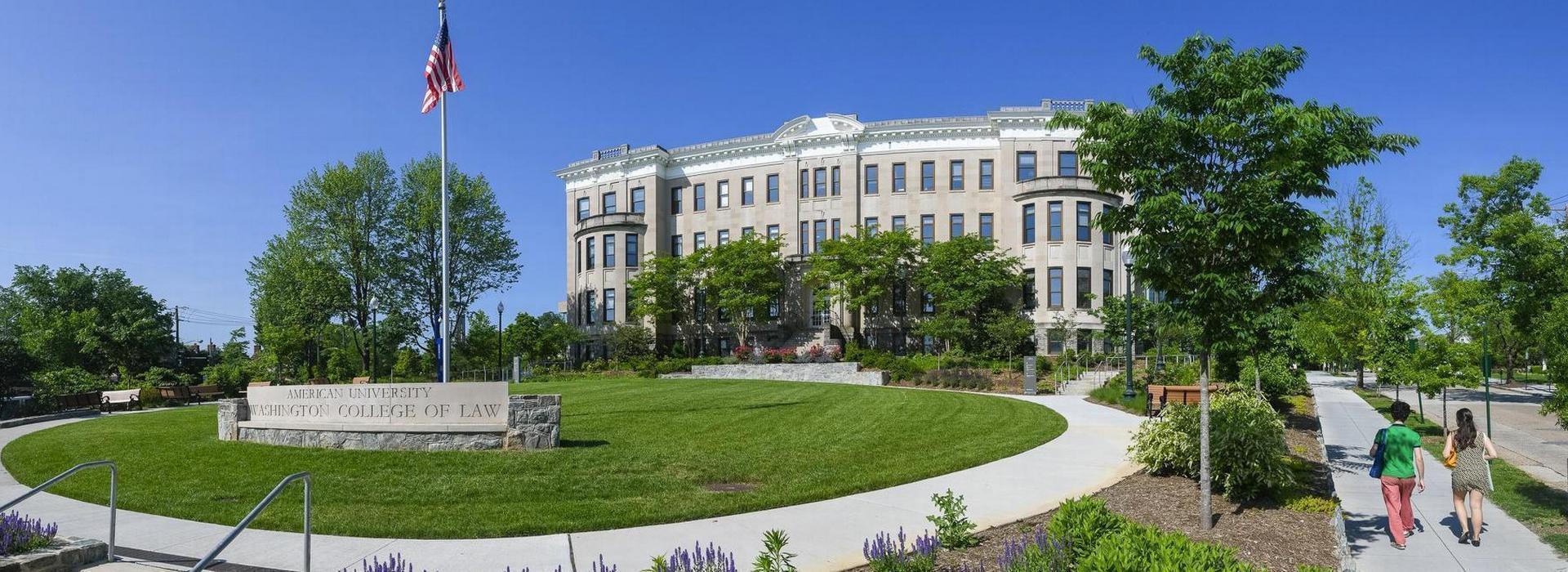 The Washing College of Law (Tenley Campus) uses separate scheduling procedures and reservation templates from the main AU campus.
WCL Students
WCL faculty, staff, and students automatically receive EMS WebApp Requestor accounts and should use the appropriate WCL reservation template when requesting space.
Reserving Space for an Activity
1. Log into the EMS WebApp
2. Click on the Reservation Templates tab.
3. Go to WCL Student Request and click Book Now
⚠️ WCL student activity requests may be submitted beginning the third week of classes through the last day of classes. Requests outside this period cannot be submitted through the EMS WebApp.
WCL Staff & Faculty
WCL faculty, staff, and students automatically receive EMS WebApp Requestor accounts and should use the appropriate WCL reservation template when requesting space.
Reserving Space for an Activity
1. Log into the EMS WebApp
2. Click on the Reservation Templates tab.
3. Go to WCL Faculty/Staff Request and click Book Now
External Organizations

 Explore options for conferences, meetings, workshops, and other hosted activities at AU.
Conferences, Meetings & Events
External organizations interested in holding a conference, meeting, workshop, or other program at American University must work through an approved AU host.
Planning a Summer Conference, Camp or Large Conference Program?
Conference programs requiring guest lodging, multiple meeting spaces, or multi-day scheduling should begin planning several months in advance and typically work through University Conference & Guest Services. To explore conference facilities, lodging accommodations, and available services, contact:
University Conference & Guest Services
Duber Hall, Room 115
📞 202-885-8247
✉ [email protected]
Or visit:
🌐 Conference & Guest Services Event Information
Looking for something else?
To discuss other options or venues, contact:
University Event Scheduling
📞 202-885-3939
✉ [email protected]
Vending and Promotional Activities
External organizations and vendors must participate through an approved AU Host (a University department or Recognized Student Organization).
External organizations may not independently reserve campus space for vending, sales, or promotional activities.
Looking for a vending opportunity?
Current AU-hosted opportunities may be available through approved programs and events.
Explore these programs:
• Wednesday Farmers Market Vendor Information
Questions? Email [email protected]
Employer and Recruitment Events
Employer and recruitment activities are supported through the AU Career Center, which coordinates employer engagement opportunities with students and alumni.
Recruitment activities may include:
• Employer information sessions
• Career fairs and networking events
• Employer pop-ups and tabling opportunities
• Recruiting and internship-related programs
The Career Center can help employers identify the best recruitment option and connect with AU students and alumni.
Next Steps
Explore employer recruitment resources through the AU Career Center:
• Employer & Recruitment Services
• Handshake
• Job & Internship Fairs